

CheckStream Dispatch: check printing and mailing, done for you
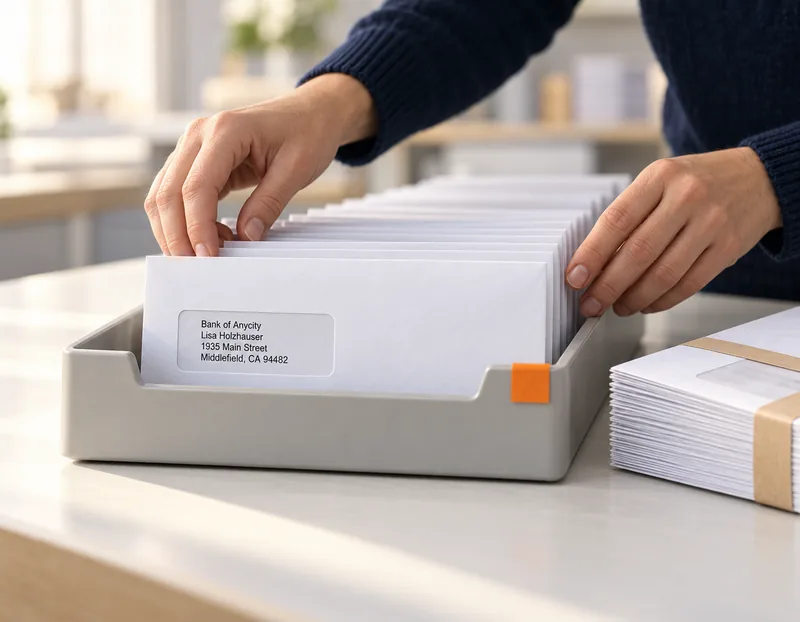
CheckStream Dispatch is check printing and mailing as a service. Upload payments, approve the batch, and Rosetta Technologies prints, signs and mails the checks, then you send the bank a Positive Pay file so it clears only the checks you issued.
Your team keeps every decision: who gets paid, how much, and who signs. Rosetta Technologies does the printing, the signing and the mailing.
How it works
How CheckStream Dispatch works, in eight steps
Set up once, then every batch follows the same path: upload, review, approve, print and mail, track, and send the bank its Positive Pay file.
- 1
Set up a check template for each bank account
Each bank account gets its own template, which is the check printed from that account.
- 2
Add users and permissions
Permissions decide who can see and do what, from uploading payments to approving them.
- 3
Upload a CSV
Fill in the CSV template with the payments and upload it. The template controls what prints on each check.
- 4
Review every check
Every check in the batch is shown for review before anyone approves it.
- 5
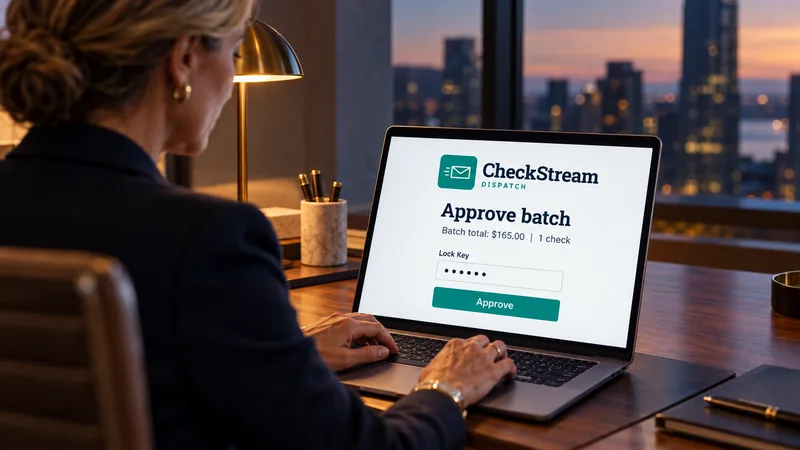
The Signing Officer approves
A Signing Officer gives the final approval with a personal Lock Key. Nothing prints or mails before that.
- 6
Checks print and mail
Rosetta Technologies prints the checks with the officer's signature and mails them to each payee, or bundles them to one destination.
- 7
Track the batch
Track the batch afterwards, so you always know where it stands.
- 8
Send the Positive Pay file
Generate the Positive Pay file from the dashboard and send it to the bank.
The dashboard groups its tiles by task, including Management and Operations, and Reporting and Search, so setup, approvals and reports each have one place.
Approval controls
Nothing prints until your Signing Officer approves it
Outsourcing the printing does not outsource the decision. Your Signing Officer is the final check before any check is printed or mailed.
Signing Officer
The final check on every batch. Nothing is printed or mailed until the Signing Officer approves it.
Lock Key
Approval is made with the officer's personal Lock Key, which the officer sets and can reset.
Minimum Approval Amount
Approval emails are sent according to a Minimum Approval Amount, with two threshold types to choose from.
Users and permissions
Permissions decide who can upload, who can review and who can approve, so each person sees and does only their part.
Signature form
The officer signs a signature form twice in black ballpoint, inside the boxes. That signature is the one printed on the checks.
Positive Pay built in
A Positive Pay file for the bank after every batch
After the checks print, you generate a Positive Pay file from the dashboard and send it to your bank. The bank then clears only checks that match the file.
Positive Pay works because a check that is not on the file does not clear. See how to print checks for where it fits in a check run.
- 1
Open the Positive Pay tile
On the dashboard, under Reporting and Search.
- 2
Pick the date range and account
Choose the dates and the bank account the checks were drawn on.
- 3
Download the file
The file lists the checks issued from that account in that range.
- 4
Send it to the bank
The bank clears only checks that match it.
Direct Bundling
Many payees, one package, one destination
Direct Bundling ships checks to many different payees together, in one package, to one destination, instead of mailing each check on its own.
Each bundle holds 30 to 50 checks, depending on the check stock. It suits payroll processors, accounting firms, and organizations that hand out checks internally.
Direct Bundling is not on by default. Customer success turns it on at your request.
| What ships | Checks to many different payees |
|---|---|
| Where it goes | One package to one destination |
| Checks per bundle | 30 to 50, depending on the check stock |
| Who uses it | Payroll processors, accounting firms, organizations that hand out checks internally |
| How to turn it on | On request, through customer success |
Who uses it
Built for the teams that send checks
CheckStream Dispatch fits any organization that still pays by check but would rather not print and mail the checks itself.
Accounts payable
Supplier payments uploaded as a CSV, reviewed and approved by your Signing Officer, then printed and mailed. See check printing for small and mid-size businesses.
Payroll processors
Paychecks mailed to each employee, or shipped together to one destination with Direct Bundling. See payroll and claims printing.
Accounting firms
A check template for each bank account, and users and permissions that decide who can see and do what.
Internal distribution
Organizations that hand checks out in person receive them bundled to one destination, ready to distribute.
Outsource or print in-house
Outsourced check printing compared with printing in-house
Both keep your team in charge of every payment. The difference is who prints and mails the checks, and what you need on site.
| CheckStream Dispatch (outsourced) | CheckStream (in-house) | |
|---|---|---|
| Who prints | Rosetta Technologies | Your team, on your MICR printer |
| Who mails | Rosetta Technologies, to each payee or bundled to one destination | Your team |
| What you need on site | A web browser | A web browser, a MICR printer, ProMark™ MICR toner and blank check stock |
| How payments arrive | A CSV file | A batch file from your accounting system |
| Final approval | A Signing Officer with a personal Lock Key | Authorize and sign, from any location |
| Positive Pay | File generated from the dashboard | File exported after the batch prints |
| How to buy | Request a quote | Request a demo |
Banks and credit unions printing official items at the counter use CheckStream Teller. Compare all three.
The CheckStream family
The rest of the CheckStream family
Three products, one question: who prints the check. Compare all three.


What is a check printing and mailing service?
A check printing and mailing service prints a business's checks and mails them for it, so the business needs no MICR printer, check stock or mail room of its own. With CheckStream Dispatch from Rosetta Technologies, your team uploads the payments and approves the batch, and Rosetta Technologies prints, signs and mails the checks.
How do I send checks with CheckStream Dispatch?
Fill in the CSV template with your payments and upload it. Review every check on screen, then the batch goes to your Signing Officer, who approves it with a personal Lock Key. The checks are printed and mailed, and you can track the batch from the dashboard afterwards.
Who approves checks before they mail?
A Signing Officer at your organization. The Signing Officer is the final check before anything is printed or mailed, and approves with a personal Lock Key that only that officer sets or resets. Approval emails are sent according to a Minimum Approval Amount, which has two threshold types.
Can I get a Positive Pay file?
Yes. After the checks print, open the Positive Pay tile under Reporting and Search on the dashboard, choose a date range and bank account, download the file and send it to your bank. The bank then clears only checks that match the file.
Can checks ship to one address in bulk?
Yes, with Direct Bundling. Checks to many different payees ship together in one package to one destination, 30 to 50 checks per bundle depending on the check stock. Payroll processors, accounting firms and organizations that hand out checks internally use it. Direct Bundling is turned on by customer success on request.
Whose signature is on the checks?
Your Signing Officer's. The officer signs a signature form twice, in black ballpoint ink, inside the boxes, and that signature is used on the printed checks.
How is CheckStream Dispatch priced?
CheckStream Dispatch is quoted directly for each business. Request a quote, tell us how many checks you send a month and where they go, and Rosetta Technologies will prepare one.
Get in touch
Request a quote for CheckStream Dispatch
Tell us how many checks you send a month and where they go. We will come back with a quote.
- (800) 937-4224
- info@rosettatechnologies.com
- Monday through Friday, 8:00am to 5:00pm ET
Thank you. Your message is with the Rosetta Technologies team, and a member of the team will reply by email.
The form did not load. Call (800) 937-4224 or email info@rosettatechnologies.com, Monday through Friday, 8:00am to 5:00pm ET.
Required. We use this to reply to you. Nothing else. See privacy. This form is protected by reCAPTCHA; the Google Privacy Policy and Terms of Service apply.